The full review → ship → QA → fix loop, in one plugin
Candid runs structured code review, ships your branch, QAs the live app in real Chrome, and turns findings into PRs — all from inside Claude Code.
One config. Your standards. Your tone. Your gates.
npx skills add https://github.com/ron-myers/candidWhat a review actually looks like
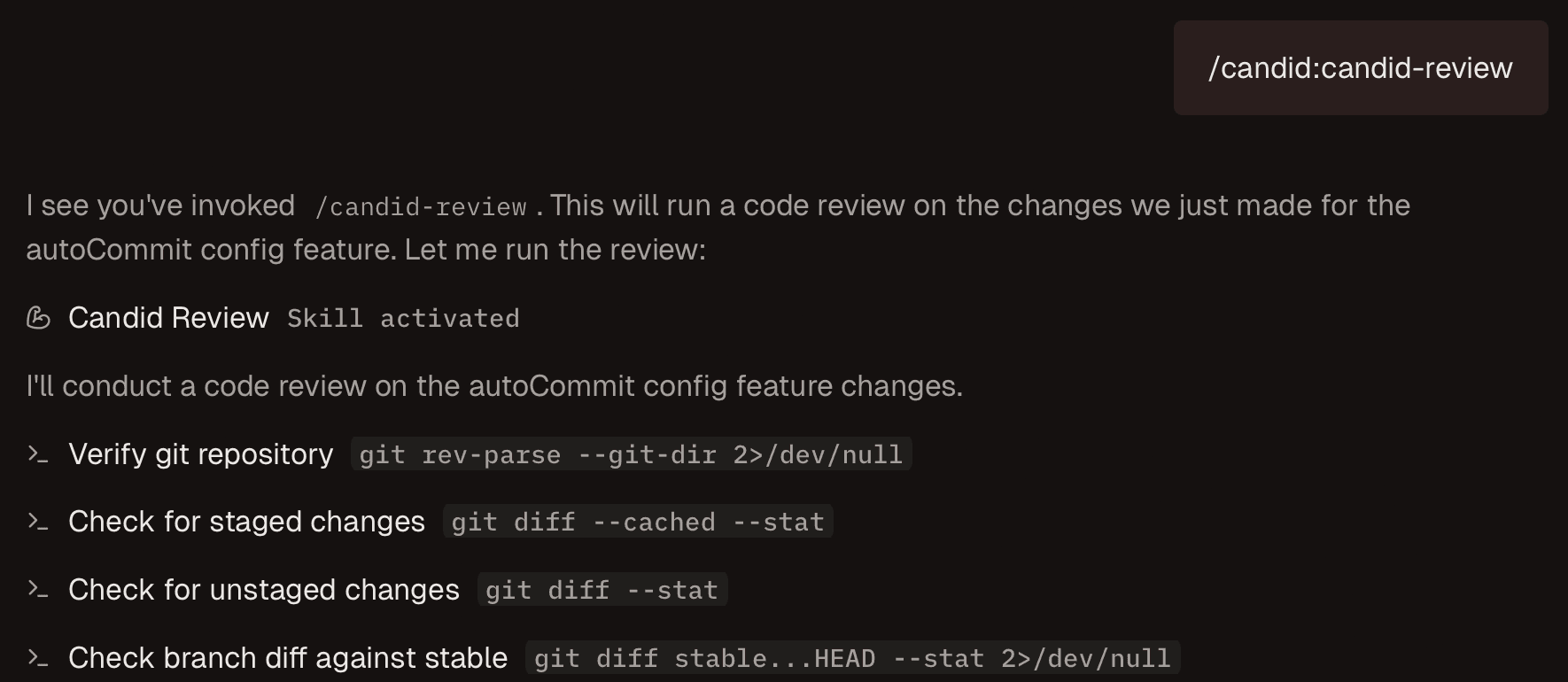
Run /candid-review to start a comprehensive code review
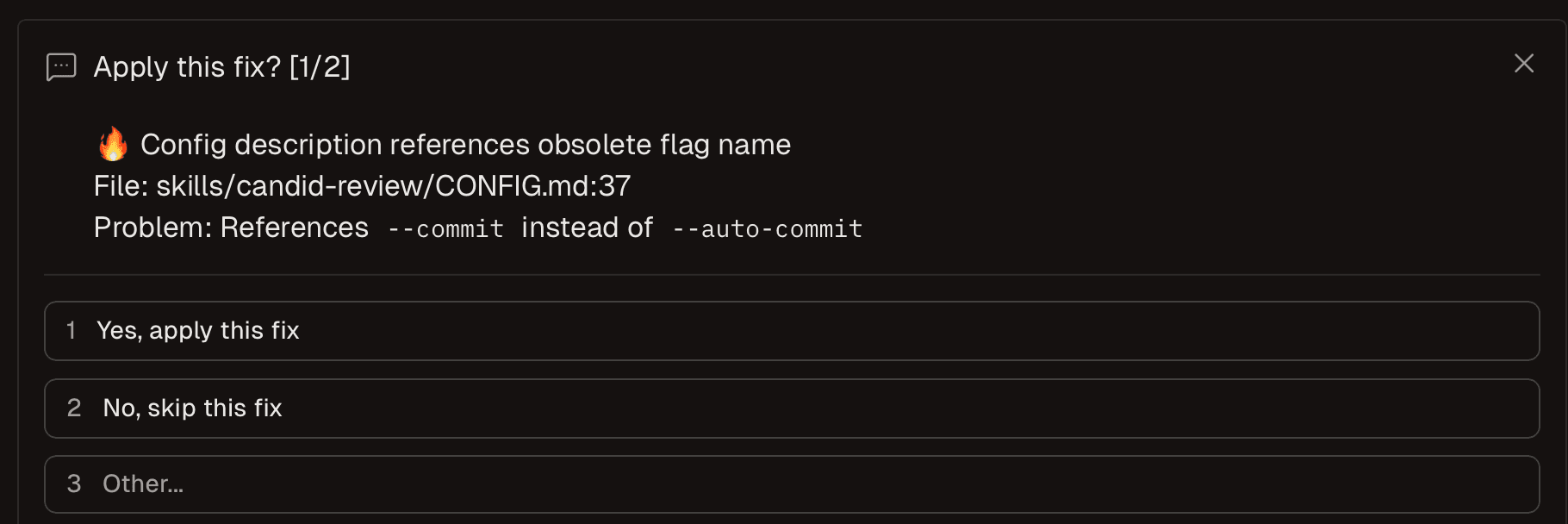
Review and apply fixes individually with one click
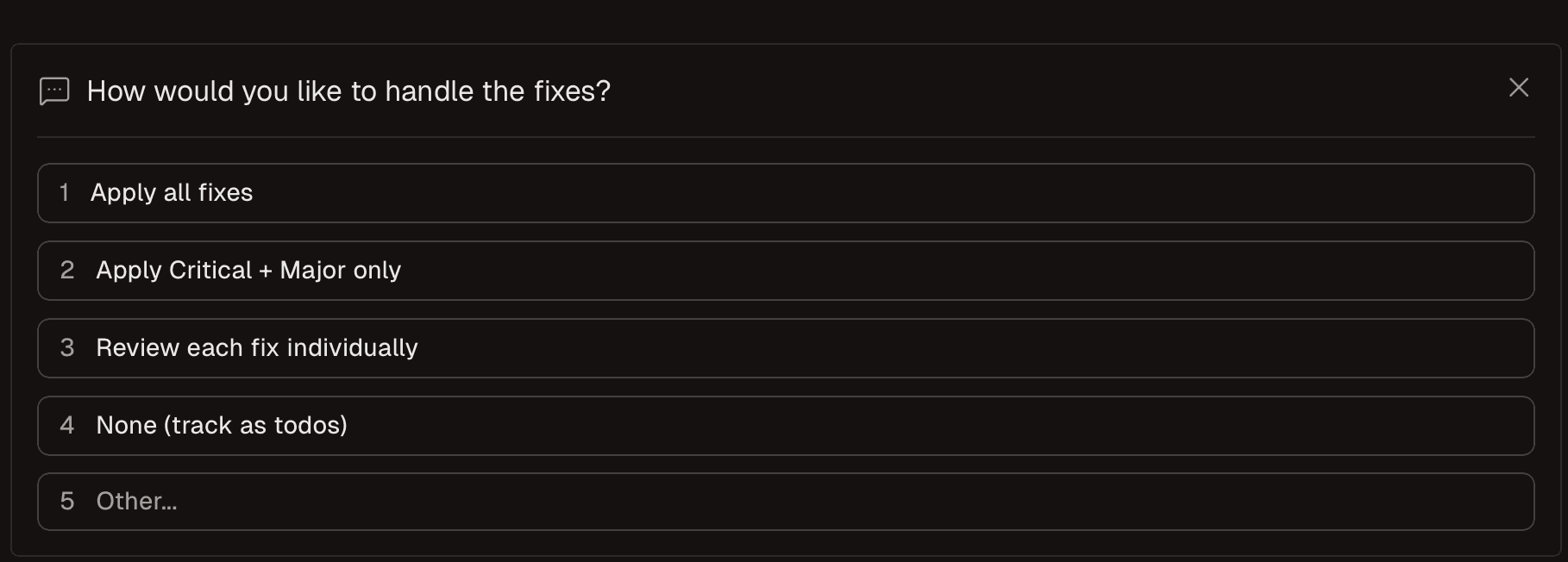
Choose how to handle multiple fixes at once
Features
Review
Technical.md
Write your standards in markdown. /candid-init generates them from your codebase.
Focus Modes
Review only what matters: --focus security, performance, architecture, edge-case.
Tone Selection
--harsh says it straight. --constructive cares but doesn't soften. Set the default in config.
Re-Review
--re-review diffs against your last pass. See what's fixed, what's still broken, what's new.
Decision Register
Answers persist. The same question never asks twice — across reviews, across sessions.
Ship
Auto-Commit
--auto-commit commits applied fixes with messages that list every change and its severity.
Configurable Ship Pipeline
Install, build, test, review, PR, auto-merge, deploy hook — every step is opt-in via .candid/config.json.
Linear Integration
/candid-ship moves the linked Linear issue to In Review on PR open. State, prompt, and team prefixes are yours.
QA
The loop
Install once. Then run the five commands that take a branch from review to shipped.
- Install + init.Add Candid to Claude Code, then generate a
Technical.mdtuned to your codebase.npx skills add https://github.com/ron-myers/candid /candid-init - Review.Tell Candid what kind of review you want — flags pick tone and focus, freeform text after sets the lens.
/candid-review --harsh review this branch like a skeptical CTO — what would block a launch? - Improve.Where
/candid-reviewasks "what's wrong or risky?", this asks "the code works — what would the next version look like if we built it again with what we know now?"/candid-improve-implementation --focus clarity rename anything ambiguous, collapse the helpers that are only used once - Ship.Pipeline runs from
.candid/config.json. Add intent for the review pass that gates the PR./candid-ship double-check no secrets, no console.logs, no commented-out code before opening PR - QA + fix.Drive real Chrome with a goal in plain English. Then pick findings to ship — batched PR, one PR per finding, or Linear issues.
/candid-chrome-qa --goal "first-time signup flow" \ --prompt "where would a new user get stuck?" /candid-chrome-qa-fix --strategy batched fix the P0/P1 blockers, file the rest as Linear issues
One config file. Your whole pipeline.
Tone, focus, ship steps, fast-ship toggles, Linear — all in .candid/config.json. No CLI flag hunting.
{
"tone": "harsh",
"focus": "security",
"exclude": ["*.generated.ts"],
"ship": {
"installCommand": "pnpm install",
"buildCommand": "pnpm build",
"testCommand": "pnpm test",
"targetBranch": "stable",
"autoMerge": true,
"postMergeCommand": "curl -X POST $DEPLOY_HOOK",
"issueTracker": {
"provider": "linear",
"enabled": true,
"teamPrefixes": ["ENG"],
"state": "In Review"
}
},
"fastShip": {
"build": true,
"autoMerge": true
}
}tone: "harsh"— every/candid-reviewuses brutal honesty by default.focus: "security"— reviews target security unless you override per-run.ship.installCommand— runs before build on every/candid-ship.ship.autoMerge: true— PR auto-merges once checks pass.ship.postMergeCommand— deploy webhook fires after merge.ship.issueTracker.enabled— Linear issue moves toIn Reviewon PR open.fastShip.build + autoMerge—/candid-fast-shipskips review and tests for trivial PRs.
Find the bug. Fix the bug. Ship the bug fix.
QA your running app, then turn findings into shipped fixes — without leaving Claude Code.
- QA your app — as a frustrated first-time user.Tell Candid who is walking the app. The persona shapes what counts as a finding — confused user, paranoid security engineer, fussy designer.
/candid-chrome-qa --goal "signup → first action" \ --prompt "walk this as a frustrated first-time user who has never seen the product. Where do you bounce?" - Pick what to fix — as the engineer on call.Filter by severity, category, or persona. Pick the strategy: batched PR, one PR per finding, local-only, or issues-only.
/candid-chrome-qa-fix --severity P0,P1 fix the blockers like an engineer on call — minimal diffs, no refactors, ship fast - Ship it — as the PM filing the backlog.File a Linear issue per finding before touching code, then ship the PRs that link back. Re-runs dedup by ID.
/candid-chrome-qa-fix --create-issues --strategy batched triage like a PM — group related findings, write user-facing titles, link back to the QA pass
Parallel agents. Real browser. One command.
/candid-chrome-qa dispatches independent audit agents across your live app — A11y, layout, copy, performance — all running concurrently in real Chrome. Findings come back as structured JSON, ready for /candid-chrome-qa-fix.
npx skills add https://github.com/ron-myers/candid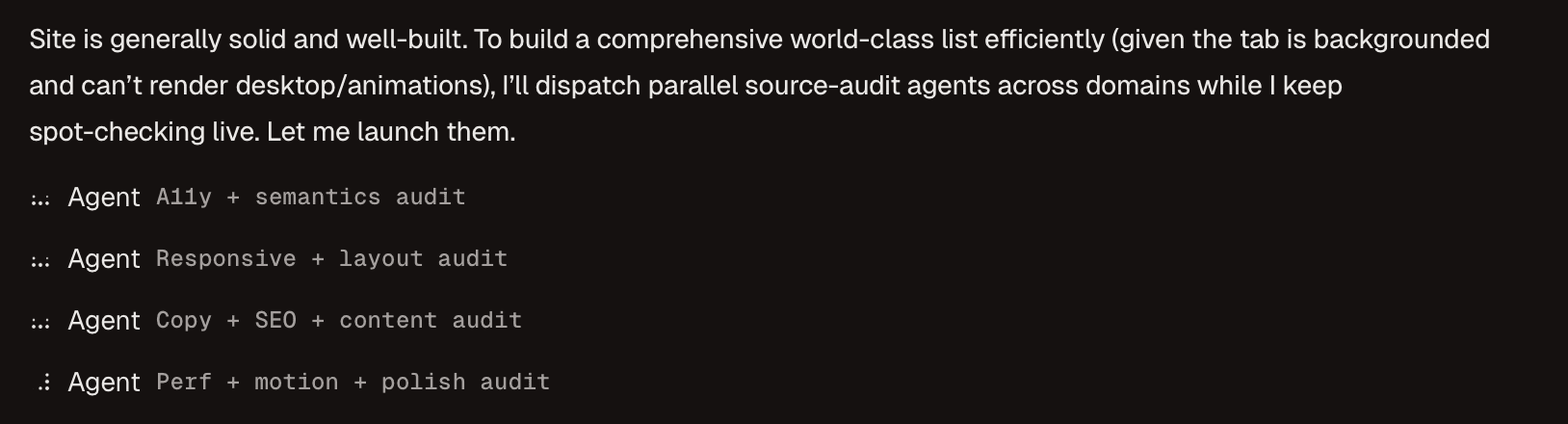
/candid-initGenerateTechnical.md+.candid/config.jsonfrom your codebase./candid-reviewReview your changes. Pick tone (--harsh/--constructive) and focus area./candid-improveRefine any output — copy, docs, an answer, a plan — against your goal in a critique→refine loop./candid-shipRun install/build/test, open the PR, optionally auto-merge and update Linear./candid-fast-shipMinimal ship — only steps you opted into infastShipconfig run./candid-chrome-qaWalk your running app in real Chrome (desktop + mobile). Filter by route, severity, viewport./candid-chrome-qa-fixPick findings to fix. Batched PR, one PR per finding via Conductor, or Linear issues only./candid-validate-standardsLint yourTechnical.mdfor vague rules and linter overlaps.
Join the Conversation
Get help, share feedback, and connect with other Candid users.
Join our SlackDoes Candid work with any language?
Any language Claude Code reads. Your Technical.md standards can be language-specific or universal.
How does Candid pay for Claude Code?
It uses whatever Claude Code is already logged into — your API key, Pro, or Max plan. No separate billing.
Can my team share a config?
Commit Technical.md and .candid/config.json to your repo. Every teammate gets the same standards, tone, and ship pipeline automatically.
Harsh vs. Constructive — what's the difference?
Harsh is brutally honest — best for catching what you'd defend if asked nicely. Constructive is direct but caring, based on Radical Candor principles.
What is Radical Candor?
A management philosophy that combines caring personally with challenging directly. Candid's constructive tone is based on it.
What does .candid/config.json control?
Tone, focus, file exclusions, the ship pipeline (install/build/test/auto-merge/post-merge hook), fast-ship toggles, and Linear integration. See the ship-config reference.
Get started in 5 minutes
# From a terminal
npx skills add https://github.com/ron-myers/candid

# start claude (pass any args you normally would)
claude

# init your project
/candid-init

# Run your first review
/candid-review